Features
The full list of what the platform does. There are no plans to choose between and no features held back for a more expensive agreement. You pay DKK 0.30 per SMS and DKK 120 per keyword per month, and the rest is included.
All prices exclude VAT.
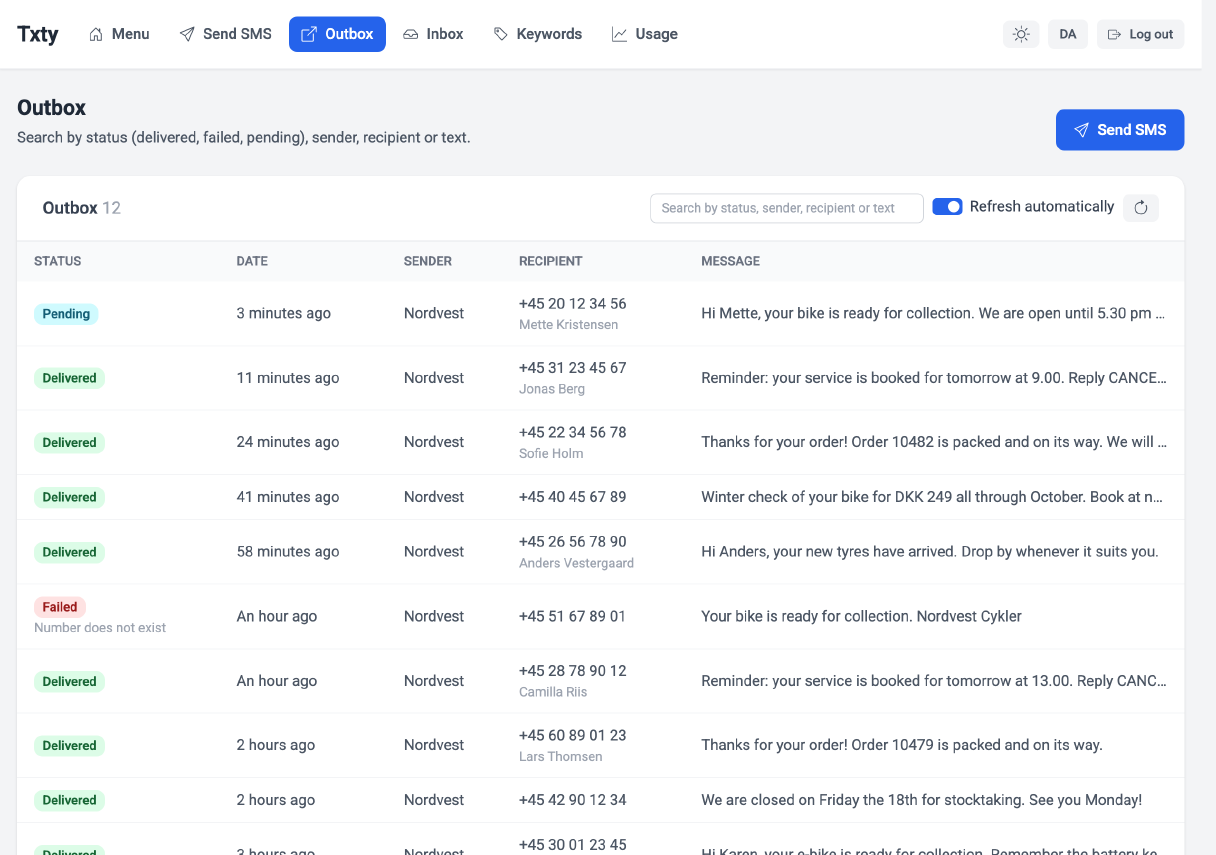
Sending
From a single message to a send-out for the whole list.
SMS campaigns
Write, schedule and send one-off messages to entire lists or to selected parts of them. Send immediately, or queue it for later.
Group SMS
Send the same message to many recipients at once. Used as often for internal messages and operational alerts as for campaigns.
Merge data fields
If you hold data on the recipients in the list, it can be merged into the message. Write the recipient's name, order number or whatever you have on file, instead of sending everybody the same thing.
Scheduled sending
Write the message when it suits you and decide when it goes out. The campaign runs even when you are off.
Repeated sending
Send the same message on a fixed interval. Every fourth week, say, or once a year to the people who need reminding.
Send in batches
Split a large send-out so that not every recipient hits your website in the same second. Particularly worth it when the message contains a link.
SMS automations
Build flows of scheduled messages. When a recipient joins a list with a flow attached, it starts on its own. Welcome new members, or send messages along the way through a course.
Email to SMS
Send and receive SMS straight from your mail client, without logging into the control panel or installing anything on the machine.
SMS from your computer
You do not need a phone to send. It all happens in the browser, with a real keyboard and a screen big enough to see the whole list.
SMS abroad
Send to recipients outside Denmark, whether that is staff in another country or customers in a new market. Per-country prices are on the pricing page.
Receiving
Give people somewhere to write, and let them write back.
Keywords
A keyword is the first word a recipient writes in a text to a short code. Ask customers to send YOURNAME to 1919 to join the customer club, for instance.
Short code 1919
Our Danish short code. Short enough to put in an advert, and it opens up two-way communication with recipients.
Virtual number
A number that exists only in our system. There is no physical SIM card behind it, and to the recipient it looks like an ordinary phone number.
Hosted SIM card
If the messages have to come from a number you already have, you send us your own SIM card. We put it in and look after it.
Sign-up by SMS
Recipients join the list automatically when they send a particular word to your keyword or virtual number. Nobody has to key anything in.
Opt-out by SMS
If you send marketing, the message has to carry a way out. The recipient texts your keyword followed by STOP and comes off the list immediately.
SMS customer club
Build a club of people who asked to hear from you. They join by text, and you send offers and news to the ones who actually want them.
Workflows on inbound SMS
Decide what happens when somebody writes to you.
Auto-reply
Answer immediately, every time somebody writes to your keyword or virtual number. A receipt, a code or a link.
Forward to a mobile number
Pass the content of the inbound message on to another mobile number, so the right person gets it straight away.
Email notification
Get an email when inbound messages land, so nobody has to sit and watch for them.
HTTP call
Let us pass the message on to your own system when it comes in, so the enquiry lands directly where you work.
SMS voting
Set a vote up in minutes. The recipient sends an option along with your keyword, and you get a link showing the split as it happens.
Contacts and lists
Keep track of who you are sending to.
Create lists
Split recipients into whatever lists make sense to you, and decide which details you want to keep on each one.
Add contacts manually
Type a single contact into the control panel, when that is quicker than importing a file.
Import from Excel
Load a spreadsheet of contacts and the data that belongs to them.
Import from CSV
The same route in, if you would rather work with a CSV file.
Manage contacts through the API
Create, update and delete lists and contacts from your own system. Pull a whole list down, or add a single contact to one.
Blacklist
Numbers that opt out go onto the account's blacklist automatically and can no longer receive messages from you. You can add numbers by hand too.
Reporting and troubleshooting
So you can see what happened when somebody asks.
Message history
Look a phone number up and see what has been sent to it and when. Filter your way to exactly what you are after.
Delivery status
See how delivery went, both for an individual message and for a whole send-out.
Error log
An overview of the errors recorded on the account, so you can see what went wrong rather than guess.
Characters and encoding
How many characters fit, and what it costs.
GSM-7
The standard, covering the letters and symbols most messages are made of. It fits 160 characters before the message counts as two.
UCS-2
Special characters and emoji need UCS-2. In return you only get 70 characters per message, so the same text costs more to send.
Automatic encoding
We can read the text and pick the encoding for you, so you do not pay for UCS-2 unless the text actually needs it.
Missing something?
Then say so. We build the platform ourselves, and we have changed features because a customer asked. Call us, or leave your number and we will call you.